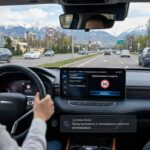
Does your Geely Monjaro beep every time you start driving? Does the speed warning come back after every trip? This is a well-known quirk of the ISA system on all Monjaro models from 2023 onward. This guide covers every method to silence the alert, adjust the threshold, and understand why the setting keeps resetting.
Why Does the Geely Monjaro Warn About Speed?
The Monjaro is equipped with ISA (Intelligent Speed Assistance) — an active speed monitoring system that works together with a Traffic Sign Recognition (TSR) camera. The camera sits behind the windshield near the rearview mirror and continuously reads speed limit signs along your route.
On top of the camera feed, the system cross-checks readings against navigation map data. When your speed exceeds the detected limit, you receive both an audible beep and a visual alert on the instrument cluster.
Common complaints from owners:
- The car starts beeping at 38 mph (61 km/h) on a 37 mph (60 km/h) road
- Warning triggers on the highway above 75 mph (120 km/h)
- The system misreads signs in rain or with a dirty windshield
- Settings reset automatically after every engine start
- Warnings became more aggressive after a software update
Which Monjaro Models Does This Apply To?
Geely Monjaro 2024
Geely Monjaro 2025
Geely Monjaro 2026
Depending on your market and firmware version, the feature may be labelled: Speed Warning, Intelligent Speed Assistance (ISA), Road Sign Recognition (TSR), or Speed Limit Warning.
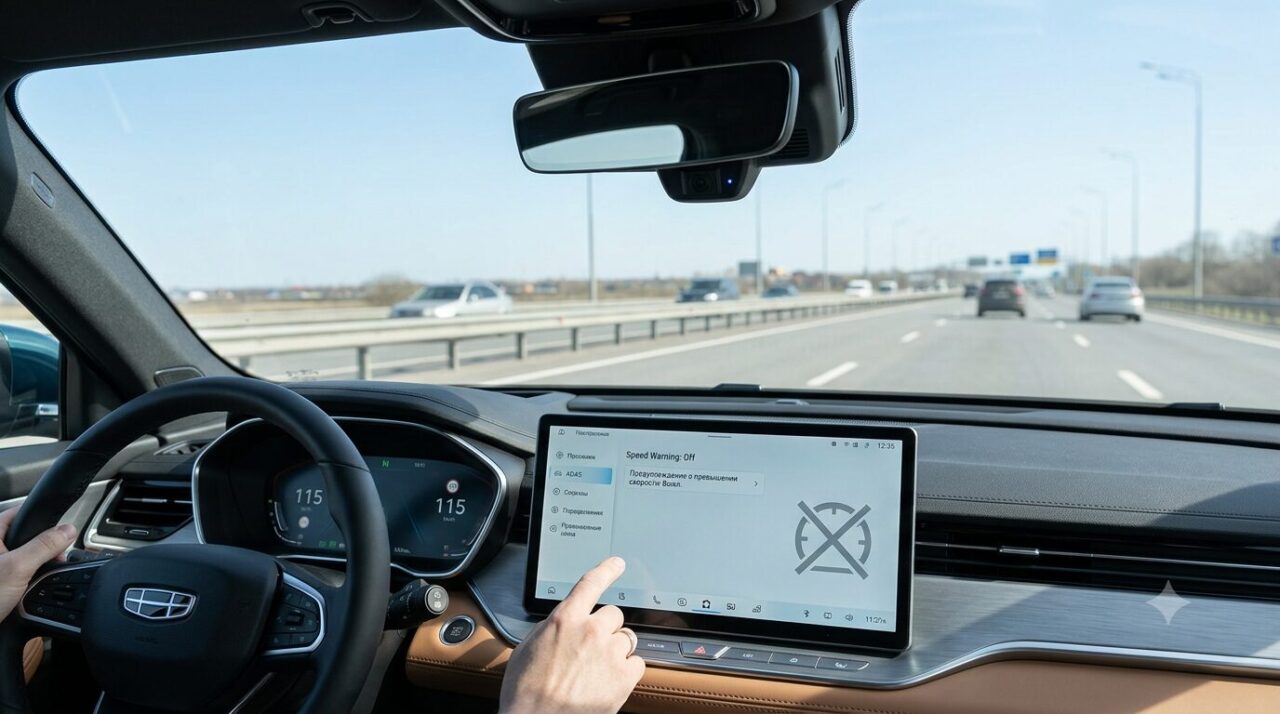
Method 1 — Turn Off the Warning Through the Car’s Menu
This is the primary and safest approach — no wiring changes, no risk to your warranty.
- Switch on the ignition and wait for the infotainment system to fully load.
- Open:Settings → Driver Assistance (ADAS)
- Navigate to:Traffic Sign Recognition (TSR)
- Find the Speed Limit Warning parameter.
- Set it to Off or Visual Only — choose Off to silence everything, or Visual Only to keep the dashboard icon without sound.
Method 2 — Disable Just the Beep, Keep the Visual Alert
If you still want to see the speed limit icon on the dashboard but don’t want to hear the chime, mute it separately through the sound settings.
- Open:Settings → Sounds → Driver Alerts
- Locate and disable:
— Speed Warning Sound
— Traffic Sign Alert Sound
On some firmware versions these options sit inside the ADAS section rather than Sounds. If you can’t find them straight away, try the system’s built-in search.
Method 3 — Increase the Speed Tolerance Threshold
Several firmware builds let you define a buffer: the system stays silent until your speed exceeds the posted limit by a set amount. This is the best option if you want ISA to remain active but avoid constant chimes for minor overages.
| Tolerance | Alert triggers at (37 mph / 60 km/h zone) | Alert triggers at (56 mph / 90 km/h zone) |
|---|---|---|
| +3 mph / 5 km/h | 40 mph / 65 km/h | 59 mph / 95 km/h |
| +6 mph / 10 km/h | 43 mph / 70 km/h | 62 mph / 100 km/h |
| +9 mph / 15 km/h | 46 mph / 75 km/h | 65 mph / 105 km/h |
| +12 mph / 20 km/h | 50 mph / 80 km/h | 68 mph / 110 km/h |
Method 4 — Disable Traffic Sign Recognition (TSR) Entirely
If the camera keeps misreading signs — picking up phantom limits or confusing signs in rain and glare — you can switch TSR off completely.
- Go to:Settings → ADAS → Traffic Sign Recognition (TSR)
- Select Disable.
Why Do the Settings Reset Every Time I Start the Car?
This is the most common frustration in Monjaro owner communities. The automatic reset is not a malfunction — it is intentional firmware behaviour linked to road safety regulations in certain markets.
Settings most often revert after:
- A software update delivered by the dealer or over-the-air (OTA)
- Disconnecting the 12V battery
- Resetting the infotainment system
- A standard engine restart (on some firmware builds)
Geely partially addressed this in later firmware releases (late 2024 / early 2025): settings now persist between sessions on updated builds. If your car hasn’t been updated recently, ask your dealer about the latest available software version.
Can I Disable the Warning Permanently?
Partially — yes. There are three realistic approaches:
Why Does the Camera Misread Signs?
If warnings appear without any obvious reason, the issue is likely with sign recognition quality rather than the ISA system itself.
| Cause | Symptom | Fix |
|---|---|---|
| Dirty camera area | Phantom speed limits with no sign visible | Wipe the windshield inside near the mirror |
| Rain, snow, or fog | Frequent random alerts | Temporarily lower sensitivity or disable TSR |
| Faded or damaged signs | Wrong limit read consistently | Not fixable via software — use speed tolerance instead |
| Roadworks / temporary signs | Constant alerts on one road section | Raise the threshold or disable TSR for the route |
| Outdated navigation maps | Wrong limit despite correct sign | Update maps or disable the navigation data source |
The camera sits behind the windshield at the base of the central rearview mirror. Wiping that area regularly with a clean microfibre cloth — no chemicals — noticeably reduces false alerts.
Is It Safe to Disable the Speed Warning?
Yes — it is legal in most jurisdictions and technically harmless to the vehicle. That said, it is worth knowing what you give up. With ISA off, the car will no longer remind you of speed limits. With TSR disabled, the current limit disappears from the cluster display as well. Full responsibility for staying within the speed limit rests with the driver.
For most experienced drivers this is not a problem: a navigation app with voice speed alerts — Google Maps, Waze, or Apple Maps — works independently of ISA and TSR and provides a reliable alternative.